 |
There is no formula or magic potion that will deliver you with a good design, there is no clear demarcation between what will work for your brand and what will look good on it. This would have caused anarchy in the realm of graphics, thus a structure made up of rules, guidelines and considerations were derived, that need to be taken into account when creating designs.
Design principles are not an absolute road-map from point A to B. Instead, they work more like a moral compass, merely pointing us in the right direction and providing guidance against which you can measure your decisions.
We won’t blame you if you think this is all a bit much. Design Principles are something that many designers latch on to, for improving efficiency and delivering sustainable designs. However, the importance of design principles for improving in delivering digital projects can not be underestimated.
01 — Contrast, differentiates black from white:

It is one of the first steps when you get your head into the design, it is the key to capturing the user’s gaze and yet is one of the most effortless application. When you place an element, such as a white box on a black page, you have already added contrast to the canvas. Contrast is yet not restricted to color, it can also be applied to Text, Type, Shape, Size, and texture.
02 — Balance, the art of precision:

Balance refers to the distribution of elements on your canvas, it is how we envision gravity in your design space. Just like in real life, the large, opaque and dense objects looks heavier while the smaller and transparent objects look lighter. Mastering balance in design takes you to new realms with things to experiment with and a way to look at your work in a new light. Every element you include has a sense of weight. How you balance those elements is what will make or break your compositions.

03 — Emphasis, making you stand out:

Emphasis can be defined as the part of the design that grabs your attention. To draw attention to the focal point you might need to subordinate(reduce opacity, blend, blur etc) the other elements. The focal point can be anything from an image or content piece to a button or a link.
04 — Proportion, it’s all relatable:

The relative visual size and weight of elements in a design can be termed as proportion. Good proportion ads harmony to any design and the creative looks more balanced and in tune with the surroundings. When the principle of proportion is applied to composition it is usually to the relationship of size. That is the size of one element of the composition as compared to the size of another related element.
Proportion is usually not even noticed until something is out of proportion. When the relative size of two elements being compared seems wrong, or out of balance, it is said to be “out of proportion”.
05 — Hierarchy, relativity amongst all:

Hierarchy defines the arrangement of all design elements in the order of their importance. In design, hierarchy is used to:
- Add structure
- Create visual organisation
- Create direction
- Add emphasis
- Help a viewer navigate and digest information easily
Hierarchy can manifest itself in many visual ways such as in scale, color, contrast, space, alignment, shape and form.

06 — Repetition, leaving a mark:

Repetition is the reusing of the same or similar elements throughout the design. Now, this is not to be mistaken for the repetition of visual elements as a pattern. Visual elements as a pattern are more to do with visual style or visual artwork in an overall piece of design work.
Good design practice seeks to repeat some aspects of design throughout a piece of simple or complex work. We use repetition to create a sense of unity and consistency throughout a design. Repetition creates a particular style, creates cohesiveness, creates emphasis, hierarchy structure and strengthens a design.
07 — White Space, When silence speaks:

White space is a very important design element, just as all the other elements: pictures, fonts, graphics etc. When you see a lot of white space in a design, that’s not because the designer didn’t know what to put there.
It was created intentionally to emphasize other elements of the layout and/or to convey a specific mood.
White space is used to:
- Help the eye scan a design/text
- Increase legibility and readability
- Create a certain aesthetic/mood
08 — Movement, guiding the eye:

Movement is the path the viewer’s eye takes through the work of art, often to focal areas. Such movement can be directed along lines, edges, shape, and color within the work of art.
Using this principle, the artist can create the path our eyes will travel as we look at a work of art. For example, our attention is first captured by the main focal point and then it proceeds to move around the composition as one element after another catches our attention.
09 — Variety, Piques the interest?

Variety — including different elements (colors, shapes, lines & textures) — is used in design to create visual interest. If a designer sticks to one color, line or texture in web design, the result is often boring, monochromatic and uninteresting — not a site that is fun for visitors to use, and often, it can lead to confusion about what elements are important.
10- Unity, it all comes together:
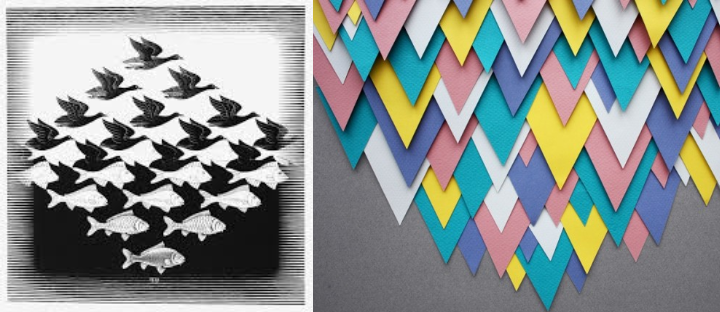
The idea behind the design component unity is to create elements that support each other and all work together toward a common goal. It’s about avoiding mixed messages. Your design elements should look like they belong together and not be arbitrarily placed on the page.
There are two kinds of unity we’re concerned with
Visual unity — for example, a group of elements all aligned to a common axis
Conceptual unity — for example, an image of a diamond, a mansion, and a pile of money might be unified around the concept of wealth.
Conceptual unity — for example, an image of a diamond, a mansion, and a pile of money might be unified around the concept of wealth.
Unity is a measure of how well the elements on the page belong together. Through unity, a viewer should first see the whole and then the sum of the parts making that whole.
We often go too far to look for a solution, making life hard for ourselves because we’re reading too much into a design. Meanwhile, the answer was just there, right before us, achieved by tweaking a specific element or principle of the design. Don’t make it a problem; trust in the guaranteed eye-to-brain traits of your users: they’ll “get” it.
To get customized designs, kindly contact us at +91 9348980909 or get in touch with us @ kumar.rakesh@flxebl.com.
Comments
Post a Comment